Law Office Management Software: What Actually Matters
You're juggling five different tools to run your practice. One for case files, one for billing, one for calendars, another for client emails, and maybe a spreadsheet holding it all together. Every day you spend 10 minutes finding a document that should take 10 seconds.
Law office management software puts all of that in one place. The legal practice management market hit $2.9 billion in 2023 and is on track for $7.8 billion by 2032. That growth tells you something: firms using these tools are outpacing firms still running on folders and basic billing.
But not every tool is worth the subscription. Here's what to look for and what to skip.

What These Tools Actually Do
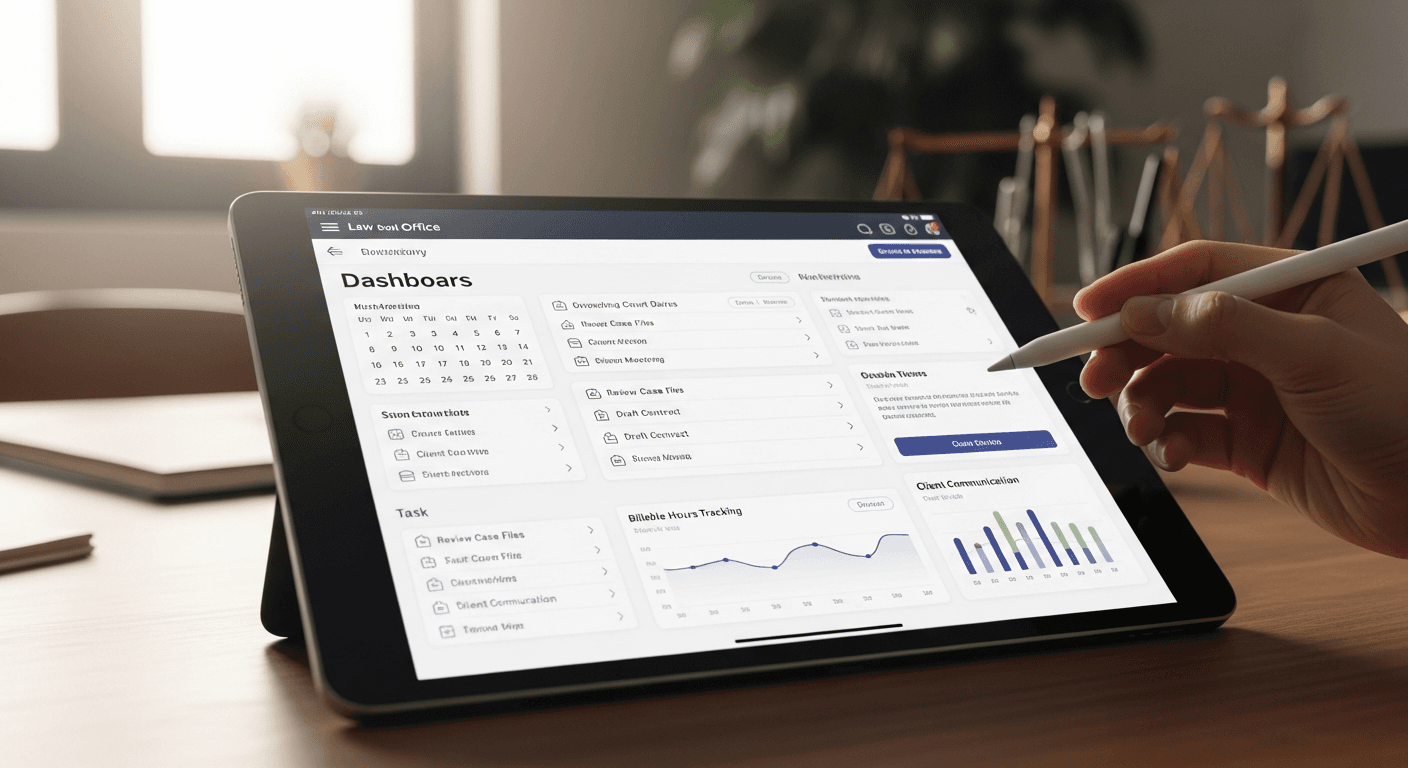
Practice management software handles five things: case files, time tracking, billing, calendars, and client communication. The good ones also automate document creation and give clients a portal to check their case status.
The difference between "case management" and "practice management" matters. Case management system for lawyers just organizes files and deadlines. Practice management adds billing, accounting, reporting, and business operations. If you're a solo or small firm, you probably want full practice management so you're not paying for two separate systems.
For a deeper breakdown of specific platforms, check our legal practice management software guide.
The Features That Actually Save You Time
Time tracking is where most firms leak money. Lawyers who track manually capture maybe 60 to 70% of their billable hours. The rest just disappears. Look for automatic timers, mobile tracking, and the ability to capture time by application (so it logs time when you're drafting in Word or researching in Westlaw).
Calendar sync with court systems prevents malpractice. Your software should import hearing dates and filing deadlines automatically, not wait for someone to type them in. One missed deadline can cost you your license.
Document automation turns 30-minute drafting into 3-minute fill-in-the-blanks. Templates pull client info automatically. You customize once, then reuse forever. Law firm document automation alone pays for most subscriptions.
Client portals cut your phone calls in half. Clients can check case updates, pay invoices, and upload documents without calling your office. Client intake and CRM software for law firms with portal features means less phone time for your staff and happier clients.
Cloud vs. On-Premise: Cloud Wins
Cloud systems account for nearly 60% of deployments now. The reasons are straightforward: you can work from court or home with full access, the vendor handles updates and backups, and you don't need to buy servers. Monthly subscriptions instead of big upfront costs.
The security argument for on-premise is mostly outdated. Reputable cloud providers invest more in security than any solo firm can. Look for SOC 2 compliance and AES-256 encryption. Your data is probably safer with them than on your office server that hasn't been updated in months.
Our cloud-based legal software guide covers specific platforms worth trying.
What You'll Pay
Most systems run $40 to $110 per user per month on annual plans. Popular options like Clio legal software and Smokeball legal software fall within this range. Here's the breakdown:
Basic ($30 to $50/user/month): Case management, time tracking, simple billing. Enough for solo practitioners who need the fundamentals.
Mid ($50 to $80/user/month): Client portals, document automation, reporting. The sweet spot for small firms that want efficiency without overpaying.
Advanced ($80+/user/month): AI features, API access, custom workflows. Enterprise solutions like Aderant legal software are only worth it if you have 10+ users or need specific integrations.
Pay annually and you'll save 15 to 25%. Watch for hidden costs: payment processing fees (typically 2.9% + $0.30 per card transaction), SMS charges, and data migration fees if you're switching platforms.
Small and medium firms make up over 55% of market revenue. If you're a solo practitioner, don't pay for enterprise features you'll never use. A $40/month plan with solid basics beats a $100/month plan with features designed for 50-attorney firms.

Security: Your Ethical Obligation
ABA Rule 1.6 requires you to make reasonable efforts to protect client data. Your software choice directly affects your compliance. Non-negotiables: SOC 2 compliance, data encryption at rest and in transit, role-based access controls, automatic backups, and a vendor that does regular security audits. If a vendor can't show you a recent SOC 2 report, move on.
Mistakes That Cost Firms Money
Choosing on price alone usually backfires. The cheapest plan often lacks features you'll need within six months, and switching platforms is painful.
Skipping mobile testing is another common mistake. Your attorneys will use this from court and client meetings. If the mobile app is clunky, adoption drops fast.
Don't rush implementation either. Budget at least 40 hours per user for training and transition. Start with case management and time tracking, add billing later, then advanced features. For firms that need dedicated legal practice accounting software, you can integrate later. Effective law firm workflow management requires a gradual rollout to ensure proper adoption across all practice areas. Trying to go all-in on day one guarantees frustration.
Related Guides
- Attorney Practice Management Software: Top Solutions Compared — The complete guide for this topic
How to Choose
List your three biggest pain points. Losing billable time? Missing deadlines? Too much admin work? Pick software that fixes those first. Ignore features you won't use for at least a year.
Use free trials with real data, not demo cases. Set up actual clients and run actual workflows. Get input from everyone who'll use it: attorneys, paralegals, and billing staff all have different priorities.
The right system pays for itself by capturing more billable hours and cutting admin time. The wrong one becomes another tool nobody uses. When evaluating options, consider our best law office software comparison to see the top programs available.
You might also find Automated Legal Document Assembly: Best Platforms useful.
Picking your legal tech stack?
Whatever practice management tool you pick, Tulex sits on top and drafts your motions, contracts, and demand letters in seconds. Pairs with any system you already use.
See how Tulex works →You might also find CRM Software for Law Firms: Best Client Management Tools useful.
You might also find Law Firm Intake Software: Best Client Onboarding Tools useful.
You might also find PCLaw Time Matters: Review and Alternatives useful.
Explore more legal technology comparisons and reviews on the Tulex blog.