AI for lawyers: from case file to first draft
Upload the case file, ask for a first draft and keep revising it in the same conversation. You review it, you make the calls, you sign it.
Three steps, on a real case
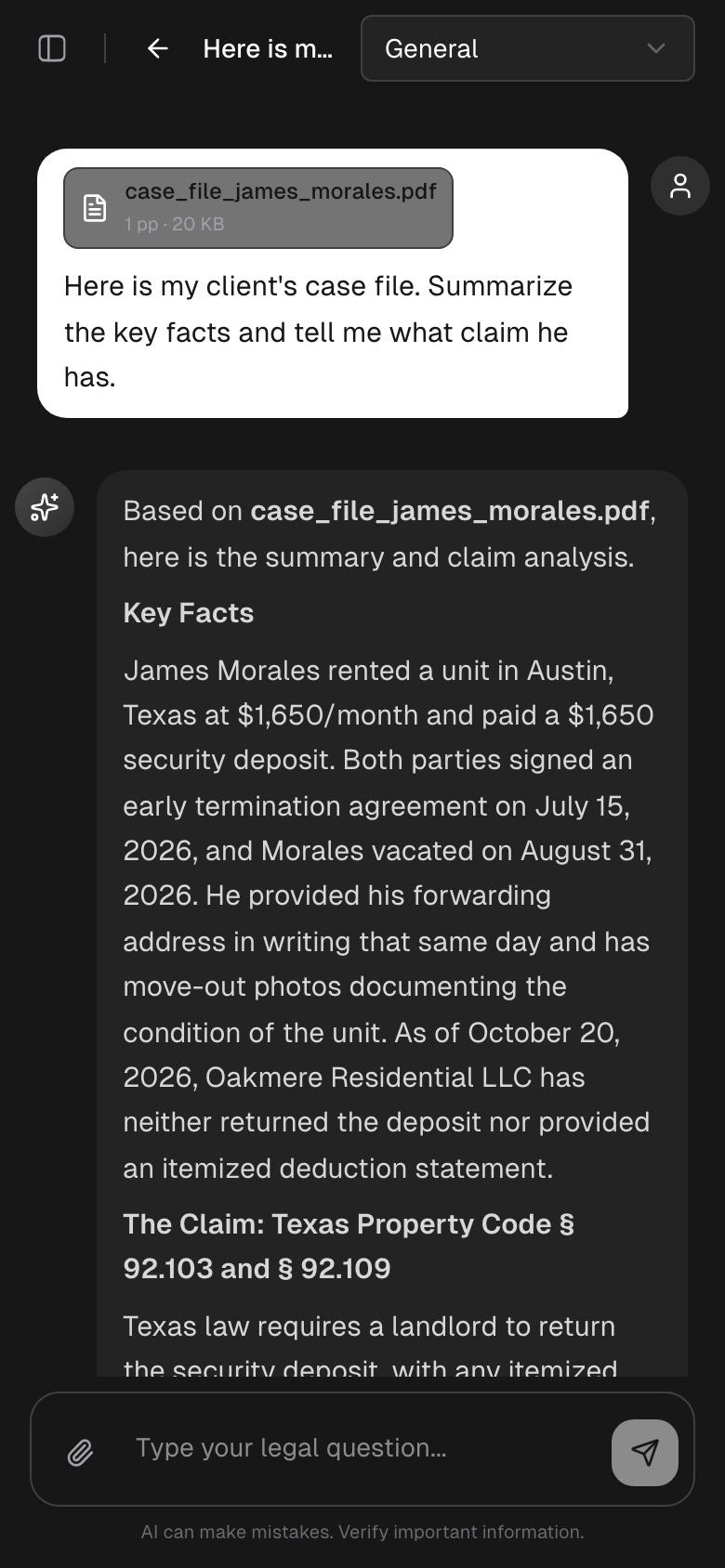
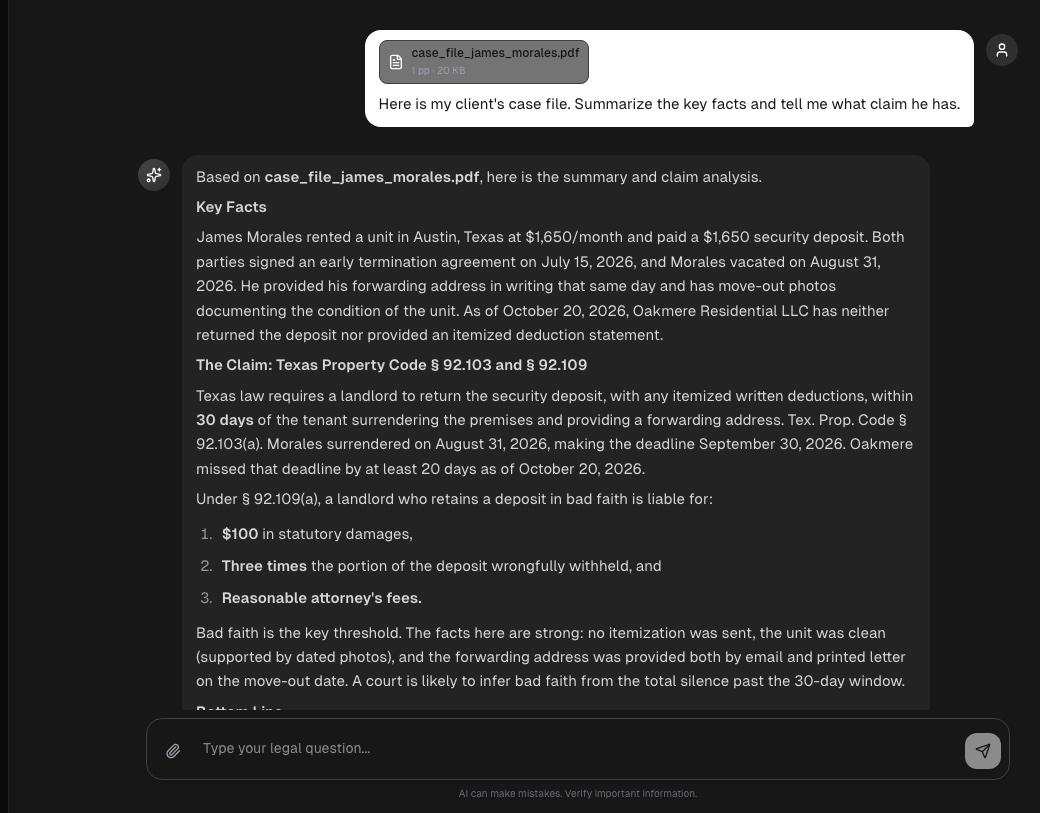
Upload the case file
PDF or Word, scans included. Tulex reads the file and answers from the facts of your case.
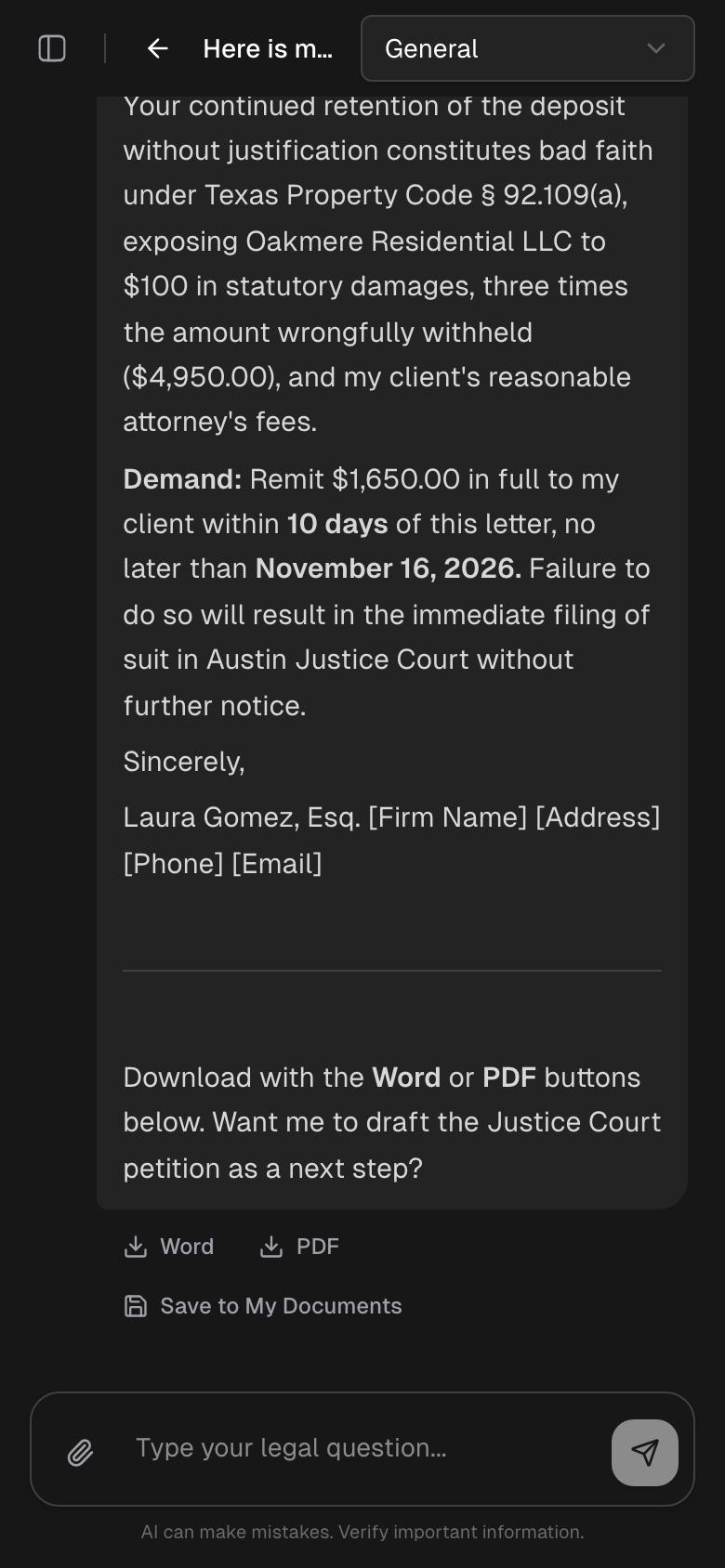
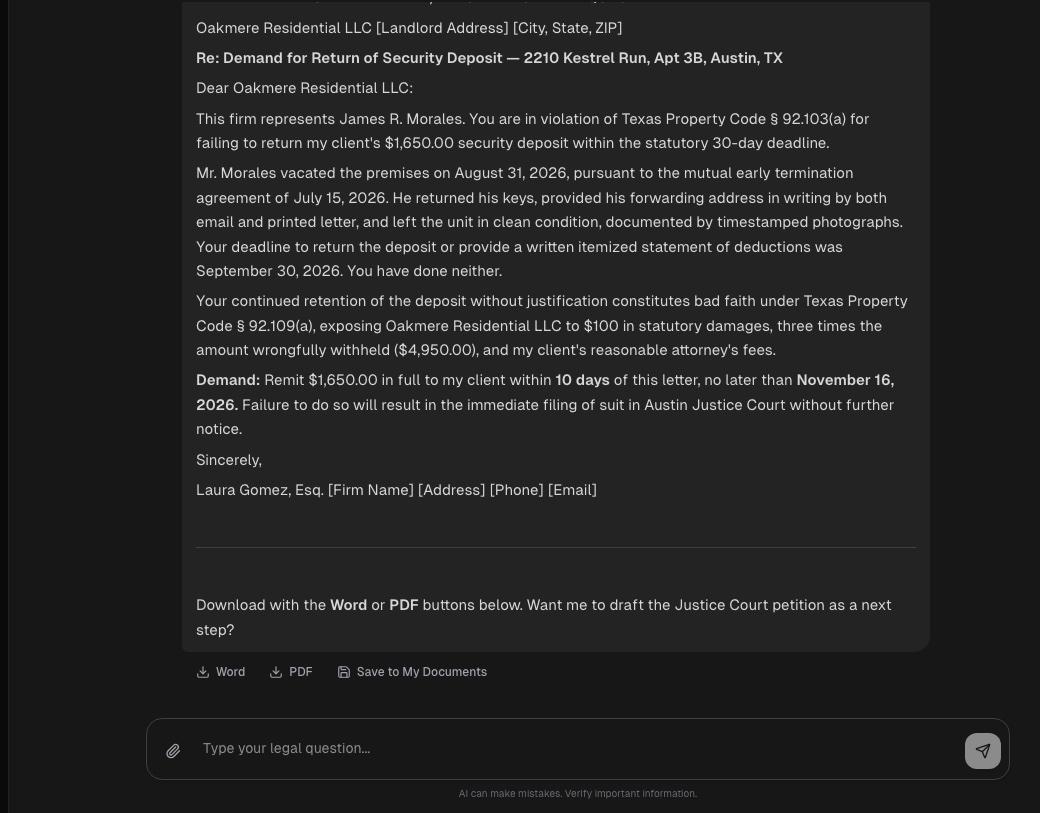
Ask for the draft
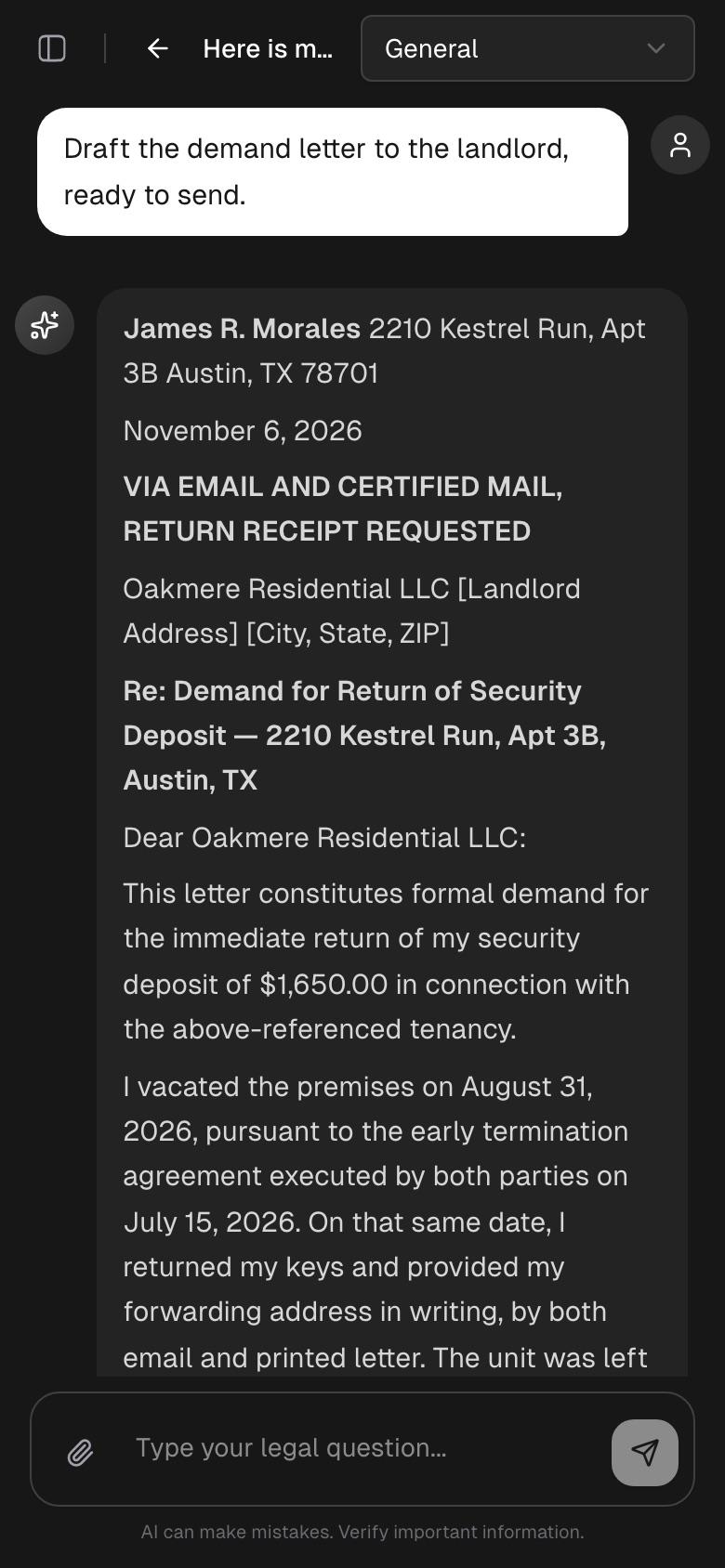
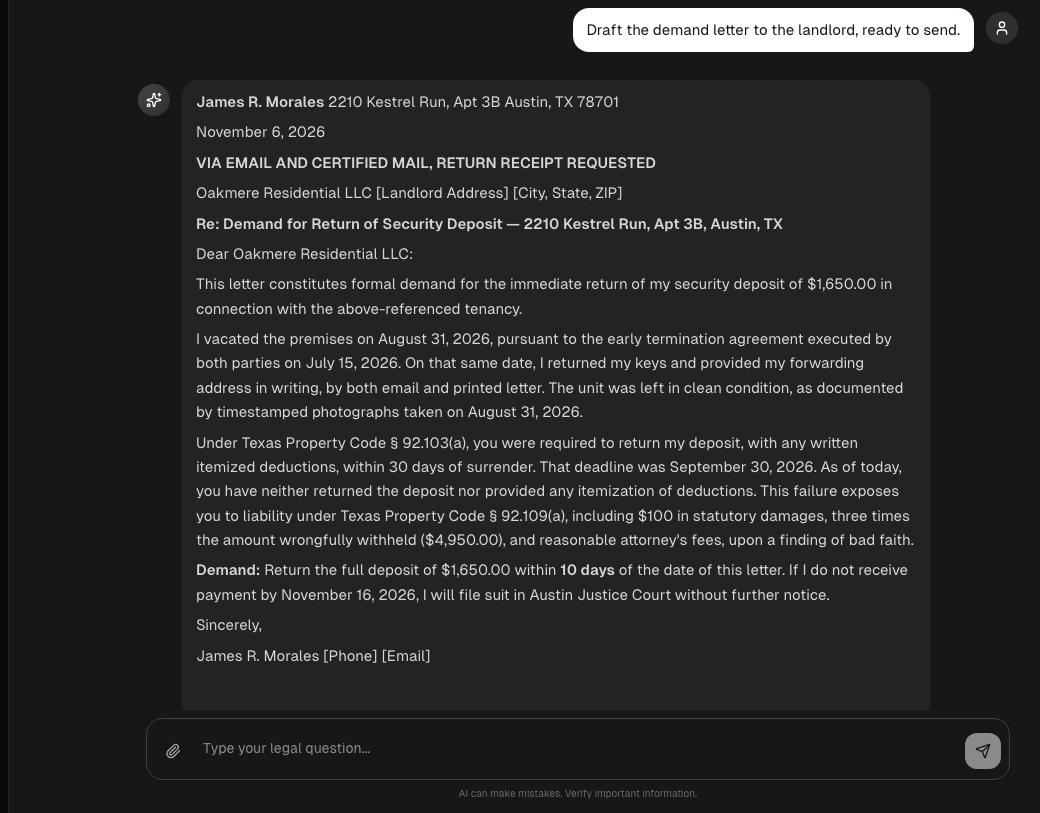
A motion, a demand letter, a response, a contract. Describe what you need the way you would to a colleague.
Revise and export
Ask for changes in the same conversation: a different angle, a firmer tone, another argument. Then download the text as Word or PDF.
Built around your cases
- Draft from the facts and documents in your case
- Revise in the same conversation as many times as you need
- Organize chats and documents by matter
- Available in the US and six Latin American countries
- Export to Word or PDF
- No annual contract, no seat minimum, cancel anytime
Unlimited messages and documents for your cases.
Start free and move to Pro when you need it.
What Tulex has, and what you need to check
Where the answers come from
Tulex runs on a general AI model with instructions for legal work in your country. Its searchable law library covers 10 codes and statutes from Colombia. It has no US law library yet.
Check every citation before you file
Tulex does not search the web and has no case law database. For US matters it answers from the model's general knowledge, which can be wrong, so verify every citation yourself.
For the common documents, fill in a form
Non-Disclosure Agreement
Protect confidential information between parties
Demand Letter
Formally demand payment or action
Cease & Desist Letter
Tell the other side to stop
Frequently asked questions
Try Tulex on a real case
Create your free account, upload a document from the case and ask for a first draft.
Create free account